
Voice Notes: Local Transcribe
Voice to text, right on your iPhone
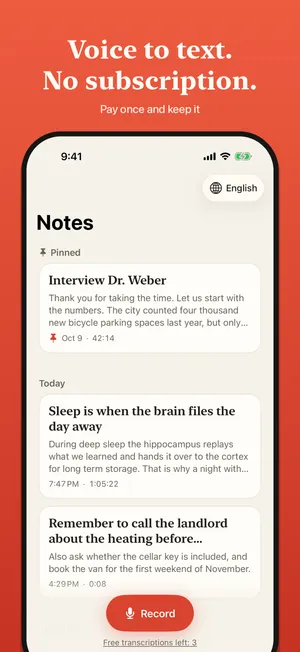
Local Transcribe turns what you say into text on your iPhone or iPad. Record a lecture, an interview or a thought, or share a voice message to it, and read it instead of listening. Transcription runs on the device, even in Airplane Mode. No account, no cloud, no subscription.

- Platform
- iPhone and iPad
- Price
- Three transcriptions free, then pay once
What it does
Record without worry
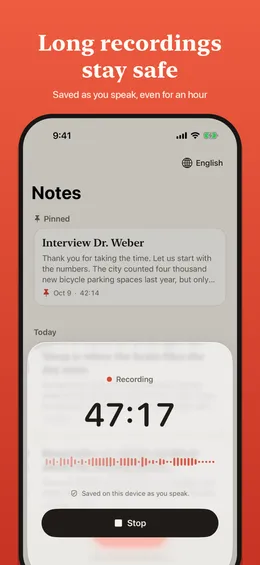
One tap starts a recording, in the app, from the Lock Screen widget or with the Action button. Audio is saved while you speak, so a long recording survives a crash.
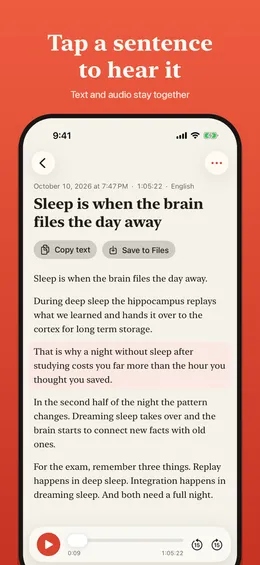
Tap a paragraph to hear it
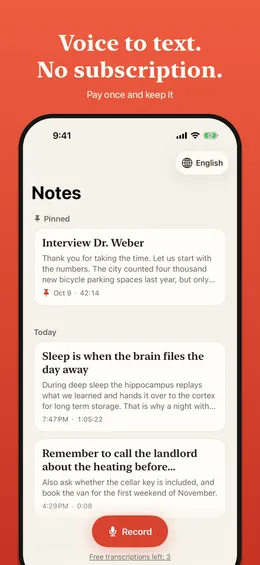
Notes read like a document, with a title and clear paragraphs. Tap any paragraph to play exactly that part of the recording.
Voice messages as text
Share a voice message or an audio file to the app and read it. Works with m4a, mp3, wav, opus and ogg.
Stays on your device
German and English transcription runs entirely on the iPhone. Nothing is uploaded, and there is no account or tracking.
More screens
Questions and answers
Does Local Transcribe work offline?
Yes. Apple's speech model is downloaded once by the system, and after that transcription works without a connection, even in Airplane Mode.
Which languages can it transcribe?
German and English.
What does it cost?
The app is free to download and your first three transcriptions are free at any length. After that one purchase unlocks unlimited transcription. Recording, playback and saving audio stay free. There is no subscription.
Which devices does it need?
An iPhone or iPad with iOS 26 or later.